Computational Print Innovation
MULTI‑DIMENSIONAL VARNISHES
An innovative print-finishing technique translated into a designer-facing production tool.
CONTEXT
Matro is one of Latin America’s largest offset printing companies, with a strong history in high-quality commercial print production.
While working there as Process Innovation Manager, I began exploring how computational design could expand the possibilities of print finishing. The opportunity was to develop something that went beyond a decorative effect: a distinctive production capability that could help Matro stand out in high-value projects.
The technique started as an internal experiment with varnish, geometry, and light. What began as a material exploration gradually became a new family of dynamic print finishes.
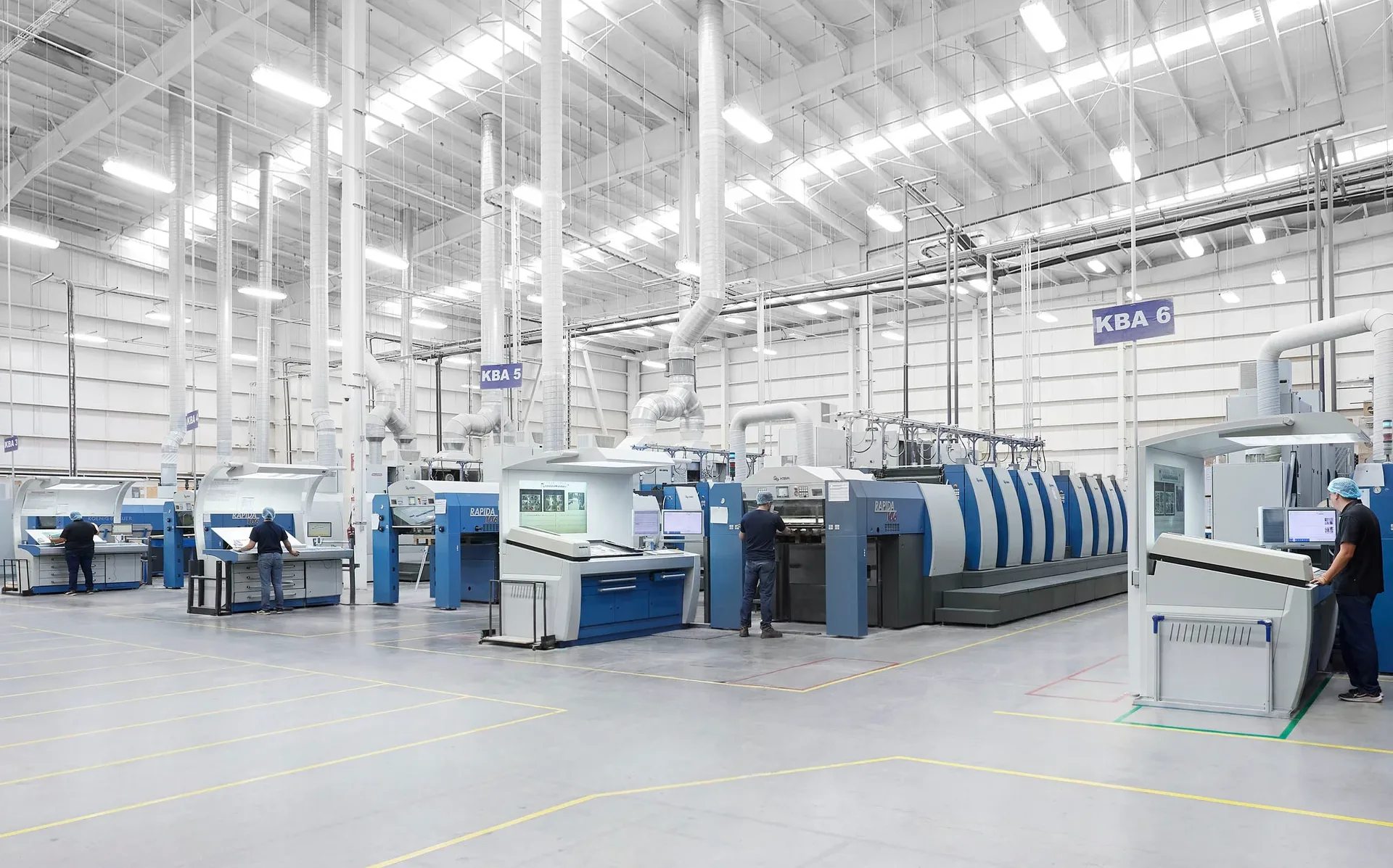
Over time, these finishes helped Matro communicate its technical capabilities to clients and supported high-value production opportunities.
Years later, the context had changed. Matro had moved increasingly into packaging, where visual differentiation and client presentation tools became even more important. But the original workflow depended on Grasshopper knowledge and on a few trained people. Without that support, the technique became difficult to continue using consistently.
How could a specialized print innovation become a workflow creative designers could actually use?
INSIDE THE SYSTEM
The finish appears as light, depth, and movement.
The system behind it is geometry, material behaviour, and production logic.
Multi-Dimensional Varnishes are built from fine geometric line structures that control how light reflects across a printed surface. Each effect depends on the relationship between line spacing, contour density, direction, and angular contrast.
The challenge was not only to create a visual effect, but to develop a technique that could be repeated reliably inside an industrial print workflow.
01. Developing the Technique
The first phase was experimental.
Using Grasshopper, I developed parametric pattern systems that could generate different varnish behaviours from controlled geometric rules. Instead of drawing each pattern manually, the system allowed me to explore how changes in spacing, density, direction, and angular variation affected the way light moved across the surface.
But the real test was never only on screen.
Each pattern had to be printed, handled, tilted, and observed under light. A structure that looked clear in the digital file could behave very differently once translated into varnish. The process became a loop between computation and material testing: generate, print, observe, adjust, and test again.
The goal was to move beyond decoration and create a controlled light-based finishing technique.
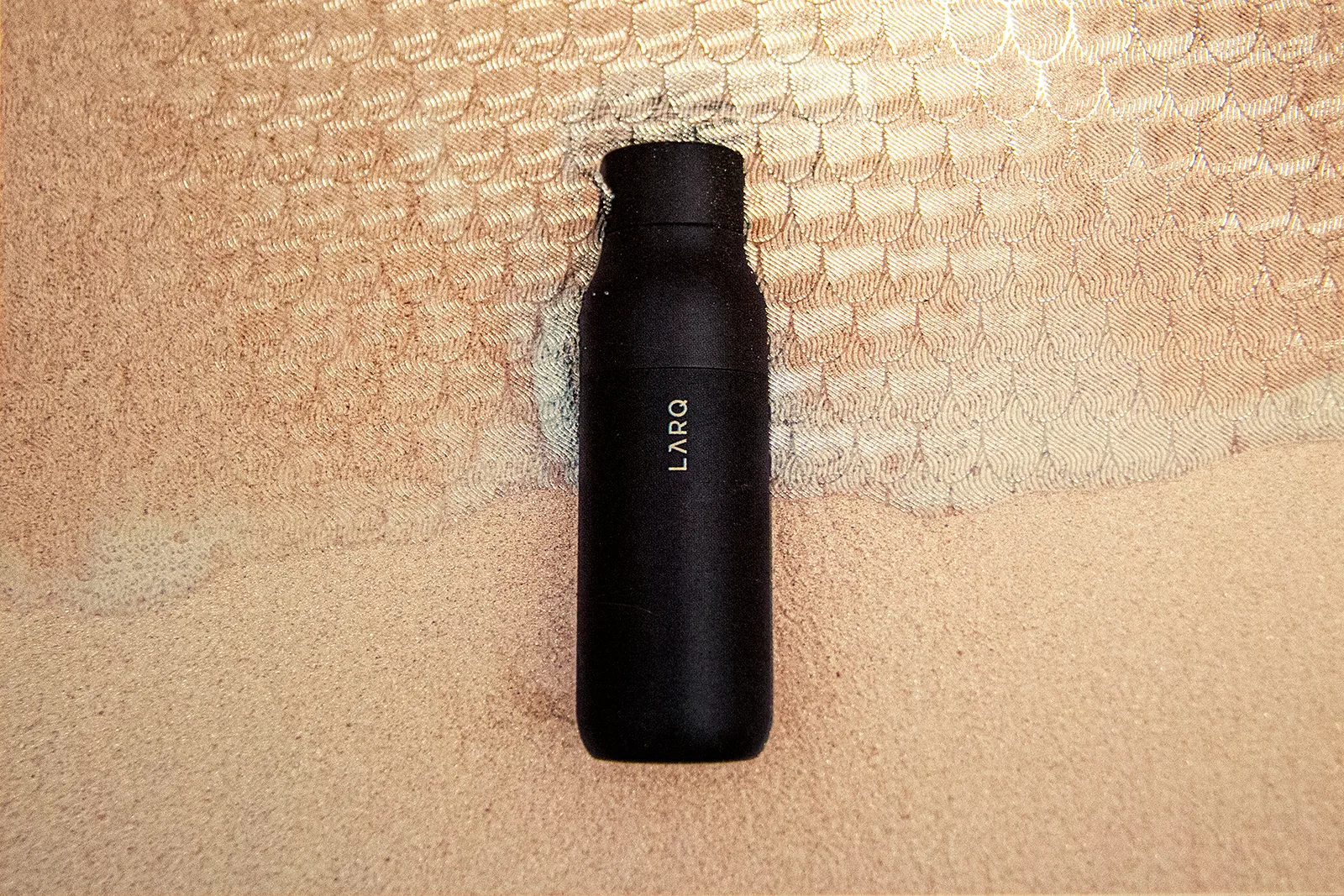
Light Shift Simulation
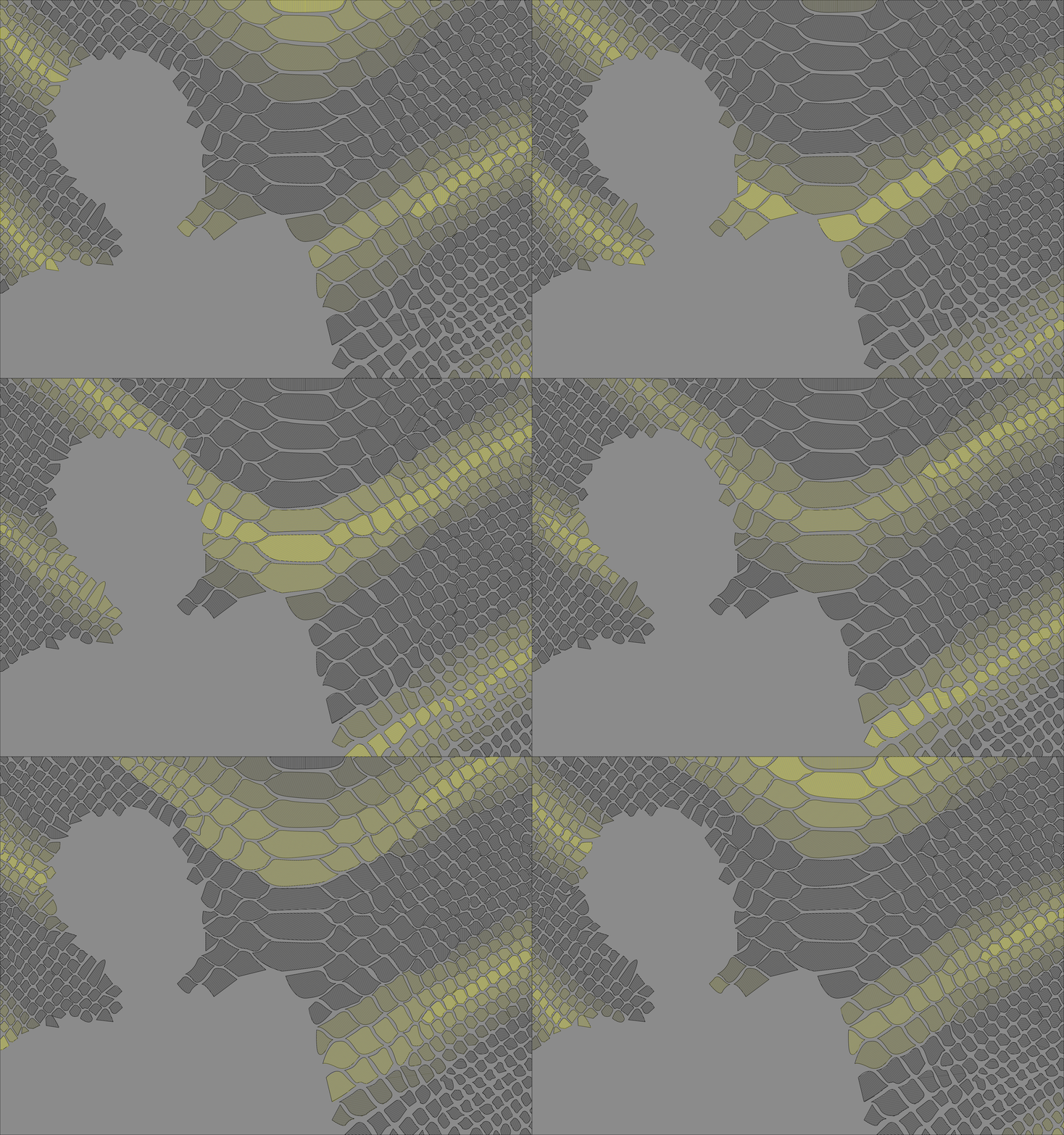
Printed Pattern Studies
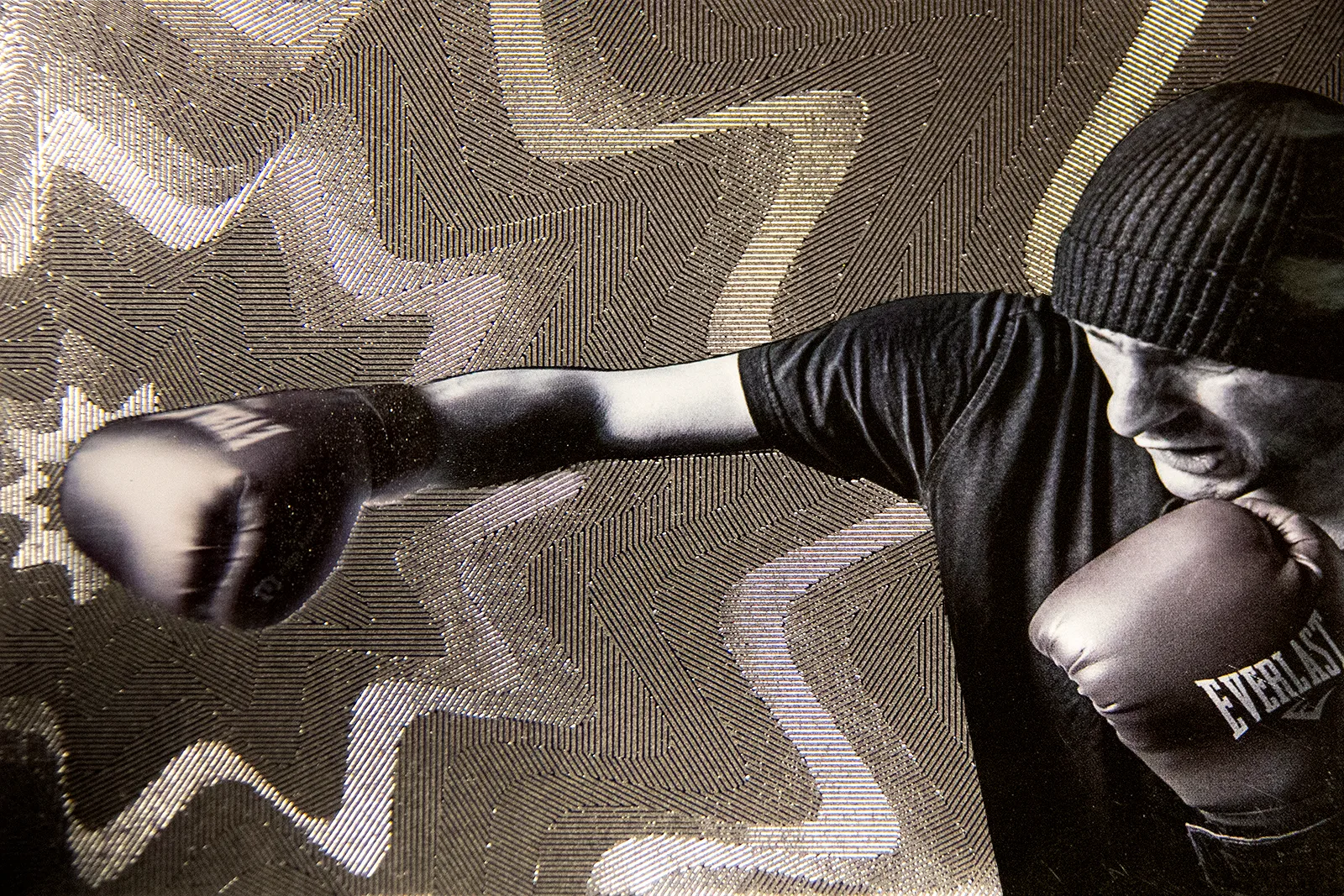
Angular Contours
01

Triangular Fields
02

Directional Contours
03
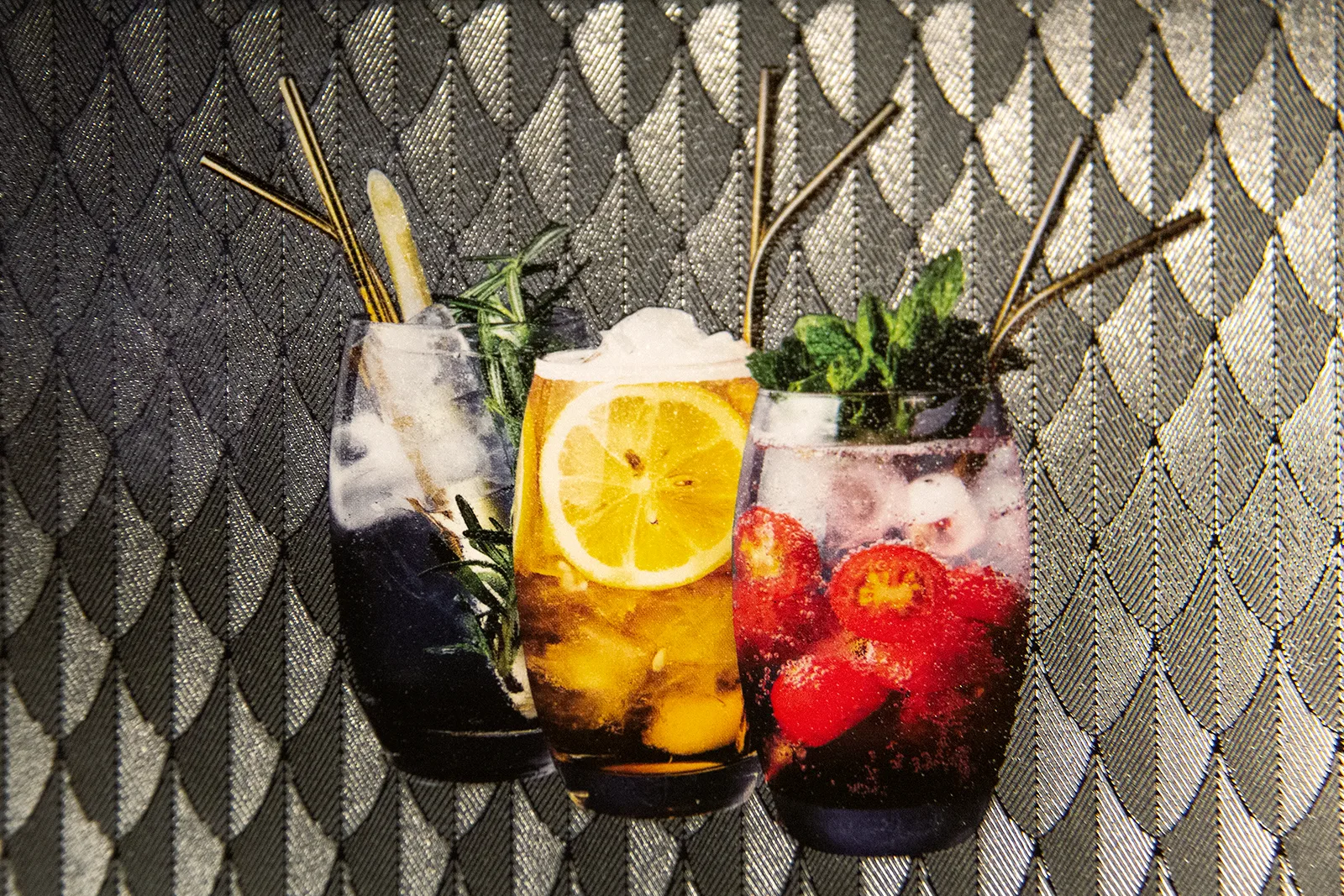
Scaled Grid
04
Ripple Lines
05

Diamond Grid
06
02. From Experiment to Production
Once the effects became visually reliable, the next challenge was production.
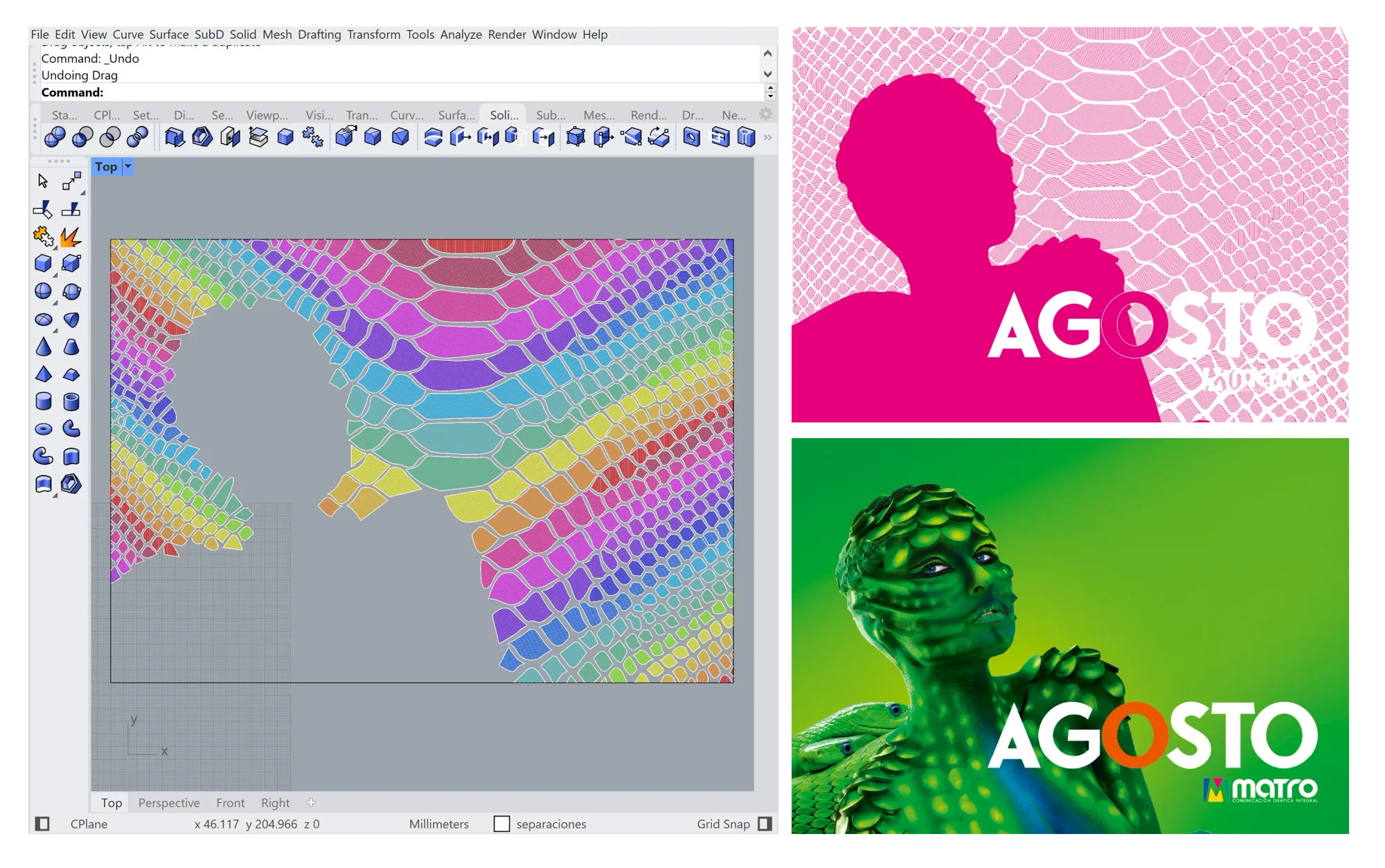
The technique had to work not only as an experimental sample, but as a repeatable process that could be applied to real print projects. That meant defining how patterns were generated, how varnish areas aligned with the printed artwork, how files were prepared, and how production information was communicated to the printing team.
This phase turned the Grasshopper workflow into a practical production system. The computational model generated the pattern logic, but the output had to behave like a real print file: aligned, scalable, legible to the team, and compatible with an industrial workflow.
Pattern Logic to Print Output
03. Workflow Implementation
For the technique to become usable in real projects, it had to be implemented beyond the computational model.
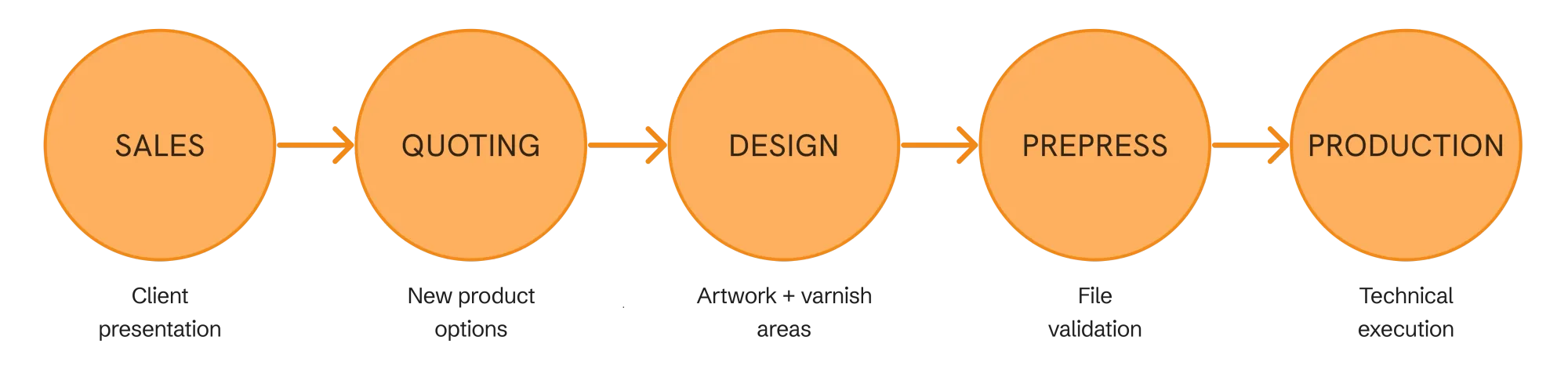
This meant integrating the new finishes into Matro's internal workflow: creating new product options in the quoting system, defining how designers should prepare files, aligning production handoff requirements, and training the people who needed to understand or operate the process.
The project became a coordination effort across design, sales, quoting, and production. Each department needed a clear way to understand what the finish was, how it should be offered, and what information was required to produce it reliably.
The innovation was not only the visual effect.
It was the operational system that allowed the effect to move through the company.
Cross-Department Workflow
THE TOOL
The technique worked, but the workflow was too specialized to continue without a more accessible interface.
The new tool translates the multi-dimensional varnish system into a visual production workflow for graphic designers: selecting a component, importing artwork, applying effects to contours, previewing movement, and exporting files for production and client presentation.
The goal was to make the technique easier to use, evaluate, sell, and hand off.
01. Designer-Facing Workflow
The workflow starts with a production order.
Designers select the job and component where the multi-dimensional varnish will be applied, then upload the base artwork and the vector paths that define the varnish areas. Before opening the workspace, the system validates that both files match the component's size, orientation, and bleed structure.
From Job Selection to File Validation
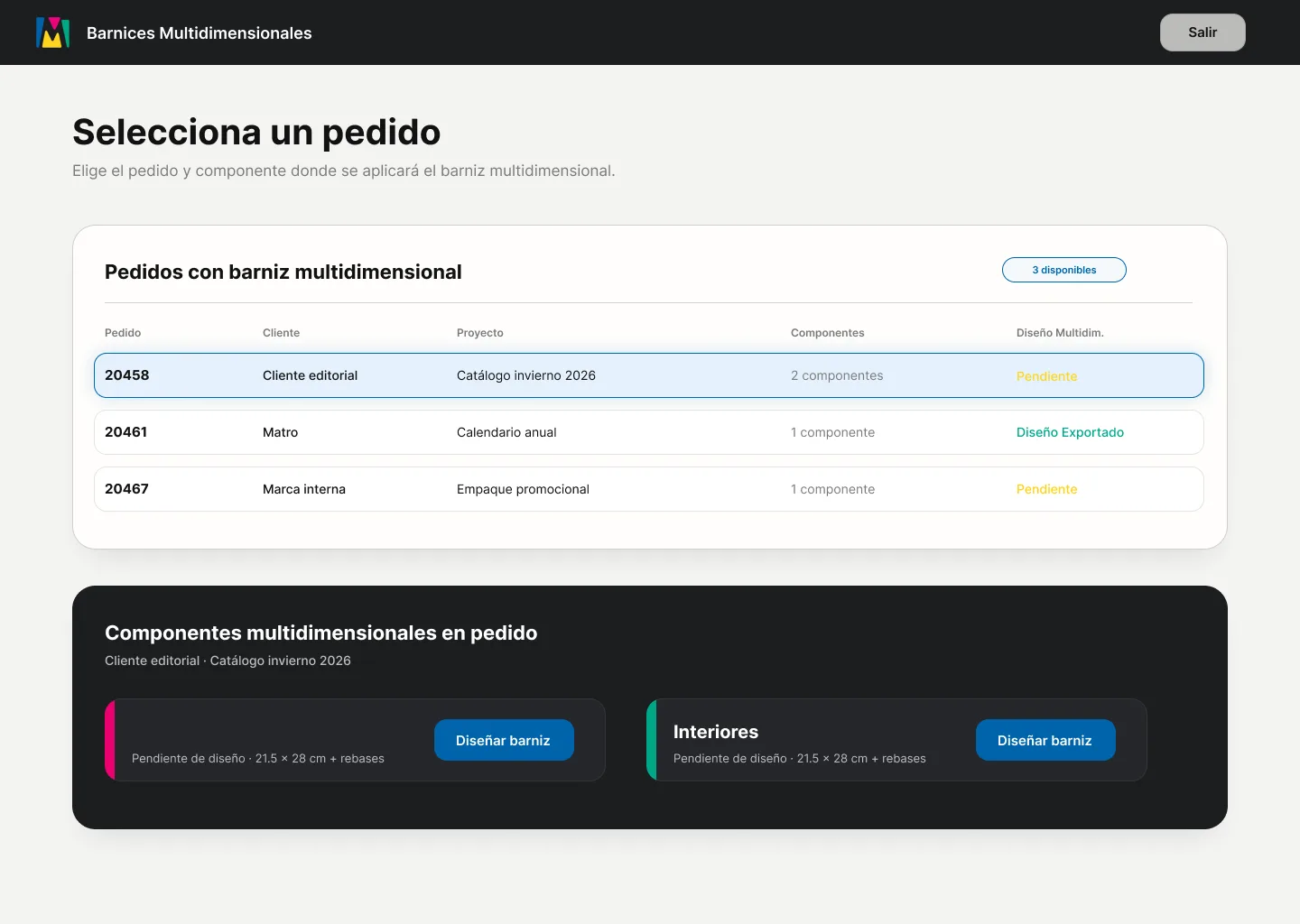
Select Production Job
Designers begin by choosing the order and component where the varnish will be applied.
01
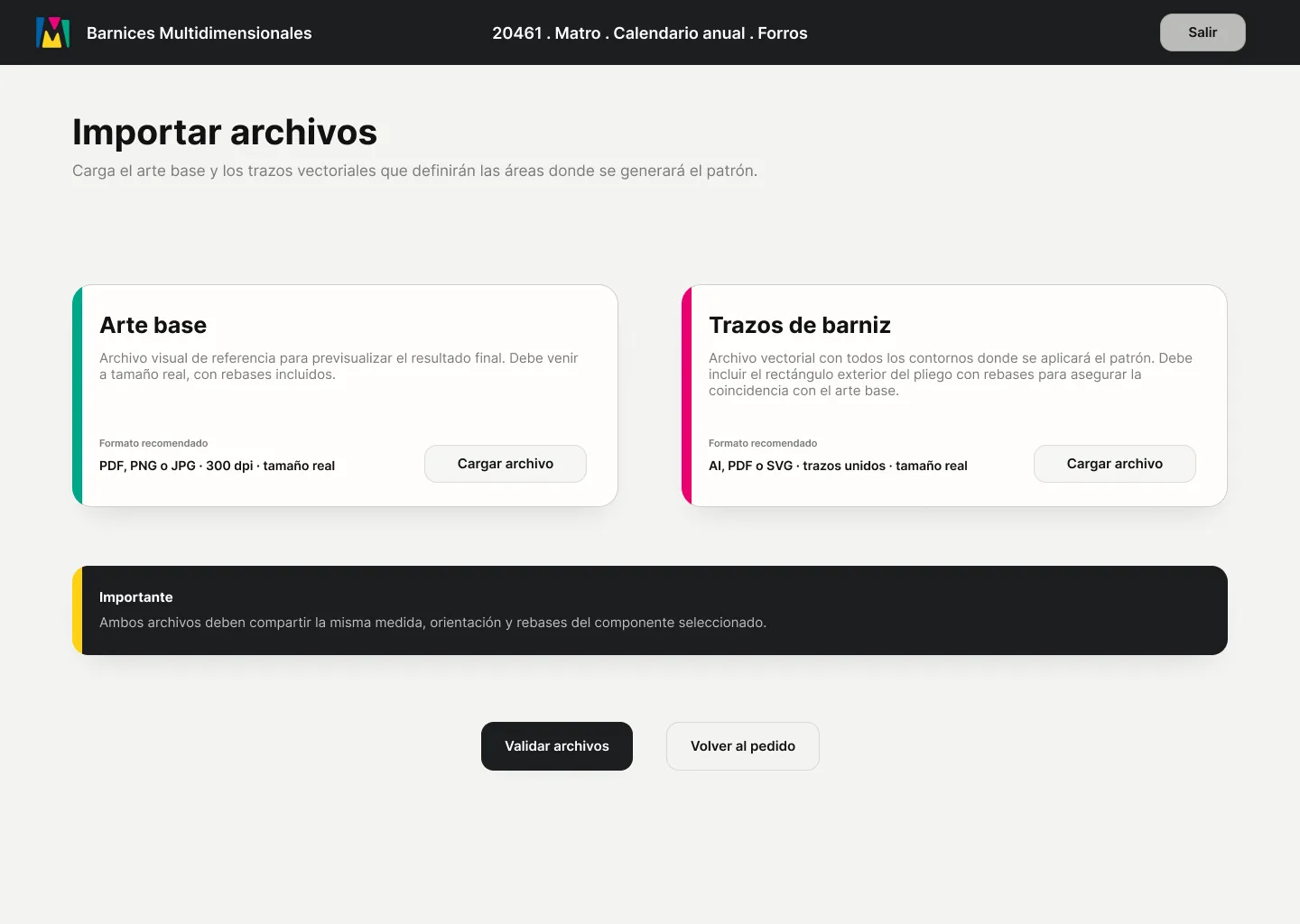
Import Artwork and Paths
The base artwork is uploaded for visual reference, while vector paths define the areas where the varnish pattern will be generated.
02
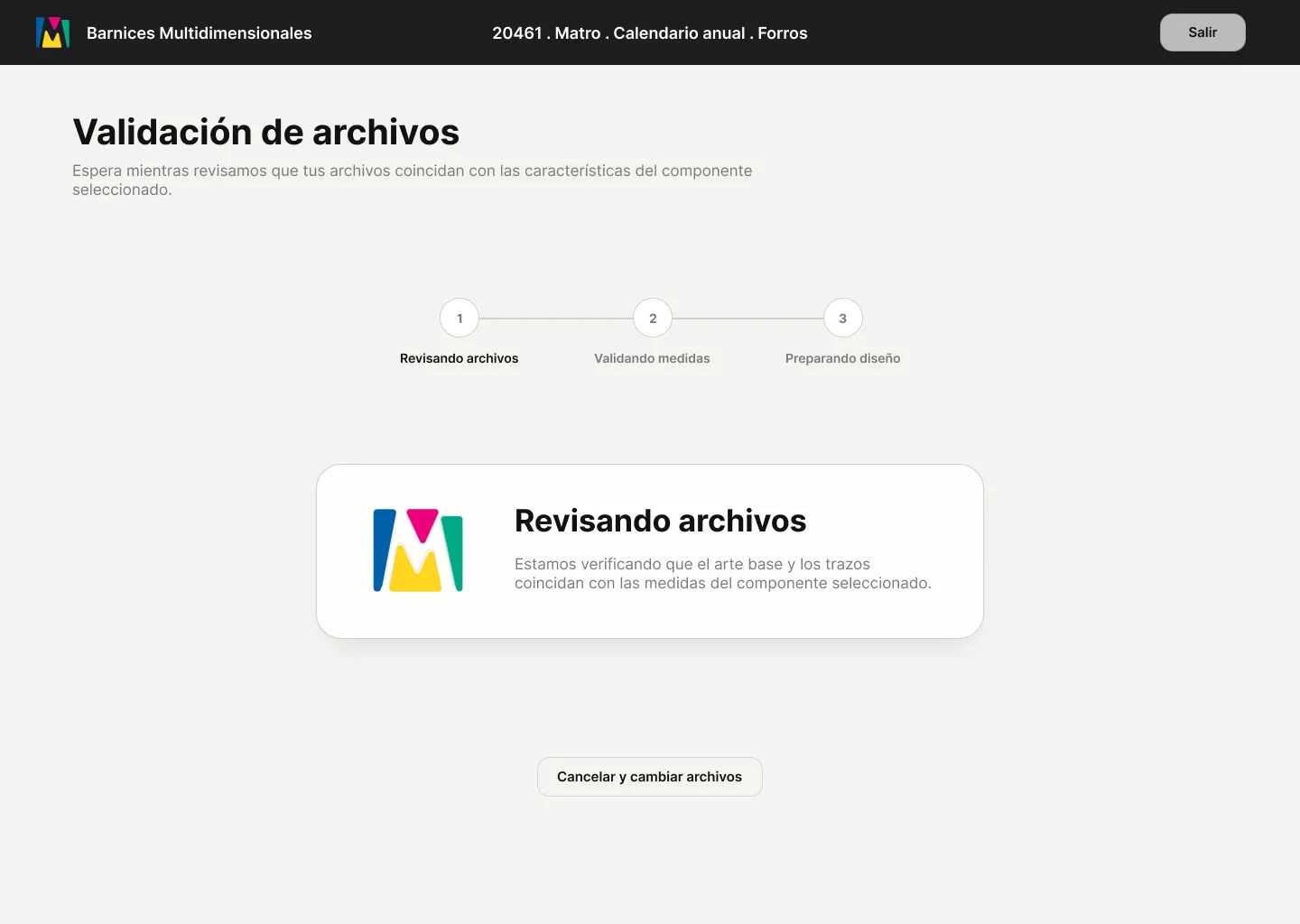
Validate Files
The system checks that artwork and paths match the selected component's size, orientation, and bleed structure before opening the workspace.
03
This keeps the process connected to real production requirements from the beginning, while removing the need for designers to interact directly with the computational model.
Prototype
Prototype
Best experienced in the Figma app or on desktop.
02. Dynamic Preview
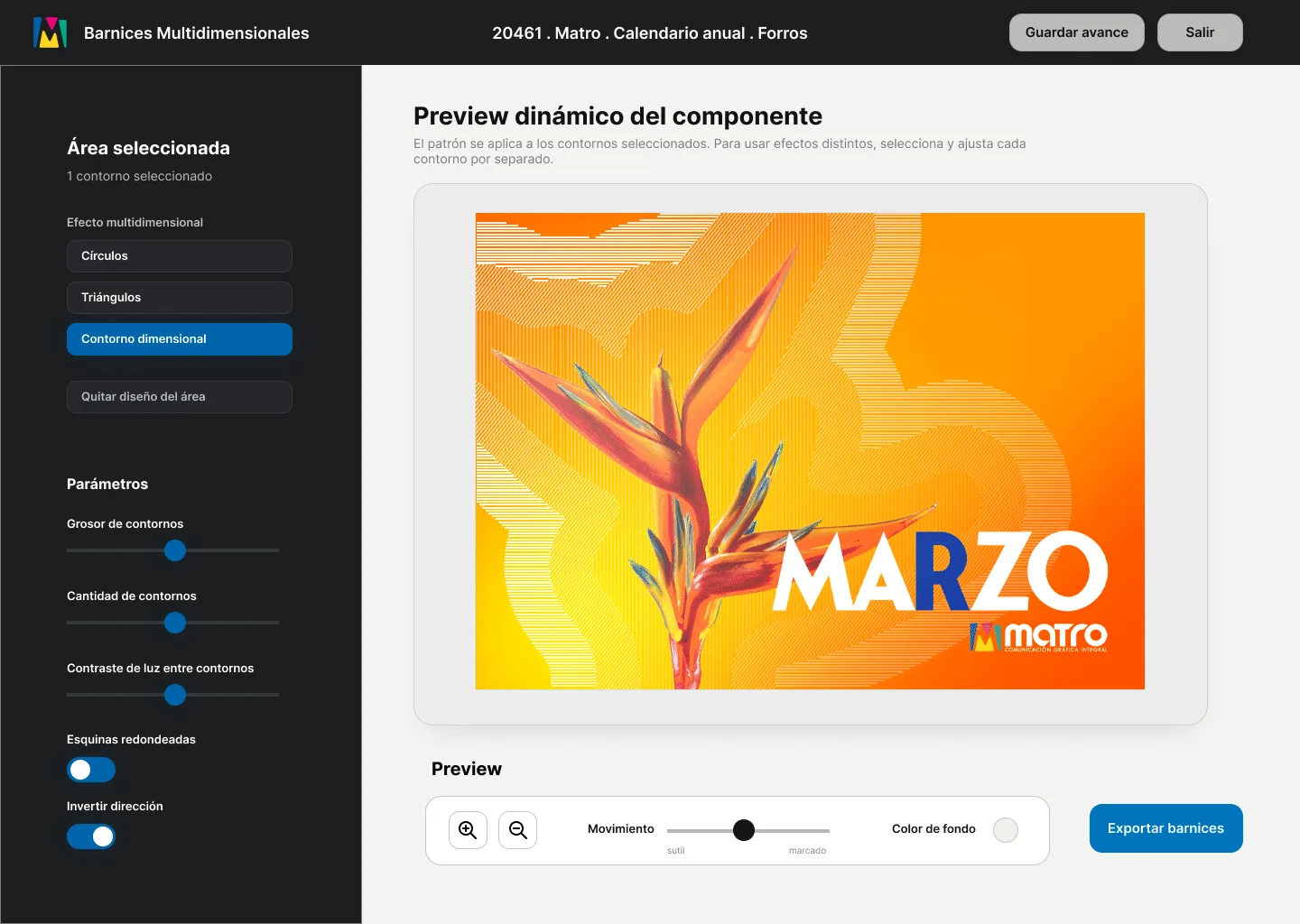
Because the varnish effect depends on light and movement, a static 2D file is not enough for confident decision-making.
The workspace gives designers a dynamic preview of the finish, helping them understand how different contours react as the printed surface moves. Instead of judging the effect only through linework, designers can adjust pattern behaviour visually: testing contrast, direction, density, and movement before exporting the final varnish layer.
This makes the tool especially useful for high-value packaging projects, where uncertainty before production can be costly.
Dynamic Varnish Preview
03. Production Handoff
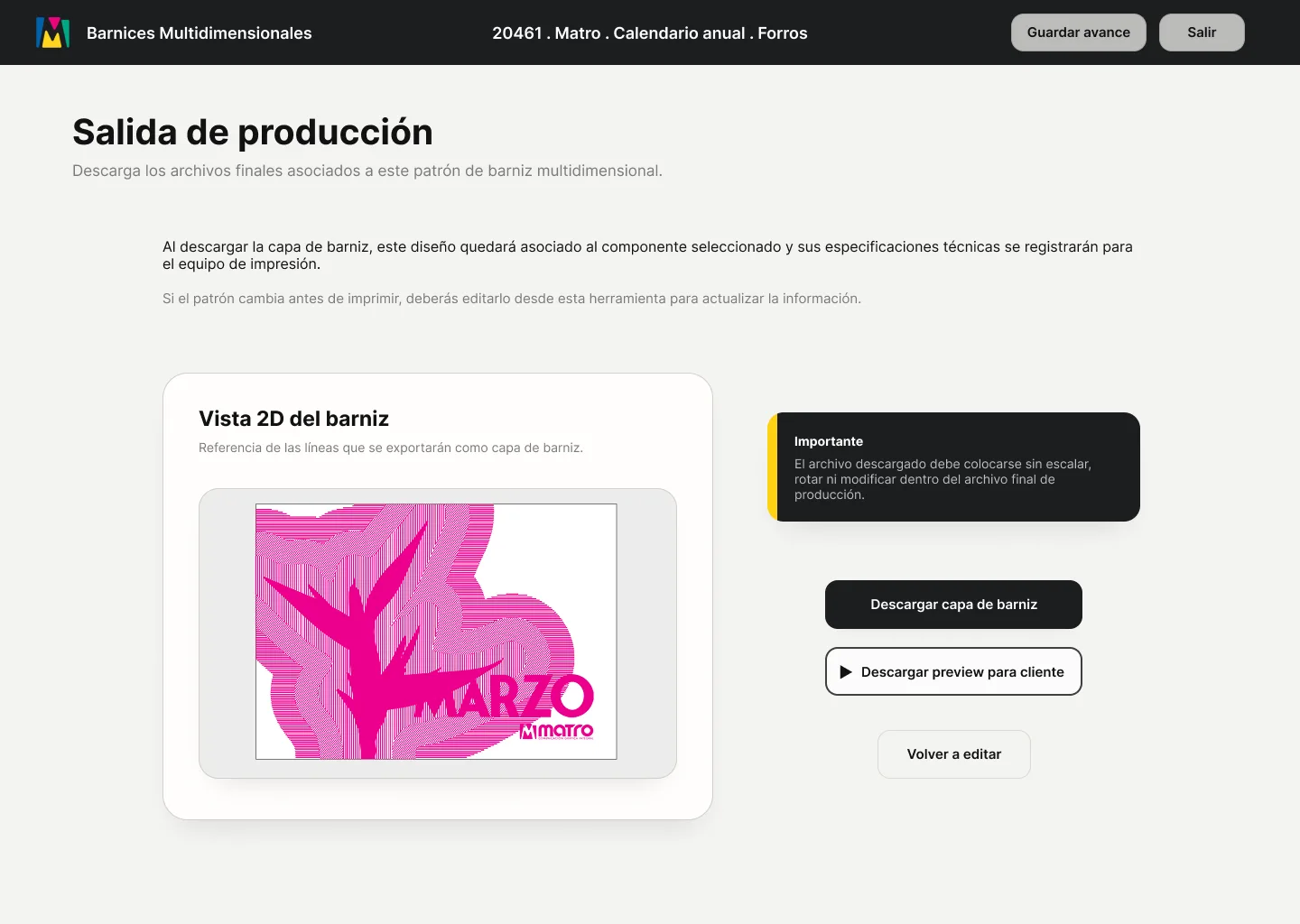
Once the designer exports the varnish layer, the tool also records the technical specifications required by the print team.
The designer does not need to see or manage machine-specific information. Their role stays visual and creative, while the system translates those decisions into structured production data that can be used downstream.
This makes the handoff more reliable: the exported layer is aligned to the selected component, and the production information remains connected to the design decisions made in the interface.
Visual Decisions to Production Data
04. Client Preview
The tool also supports the sales process by generating a client-facing preview.
This preview makes the finish easier to explain before production. Instead of relying on a static mockup or technical line file, sales and design teams can share a short visual preview that shows how the varnish effect responds to movement.
For packaging, this becomes especially valuable: the finish can be used earlier in the conversation, helping clients understand the effect before committing to a large production run.
RESULT
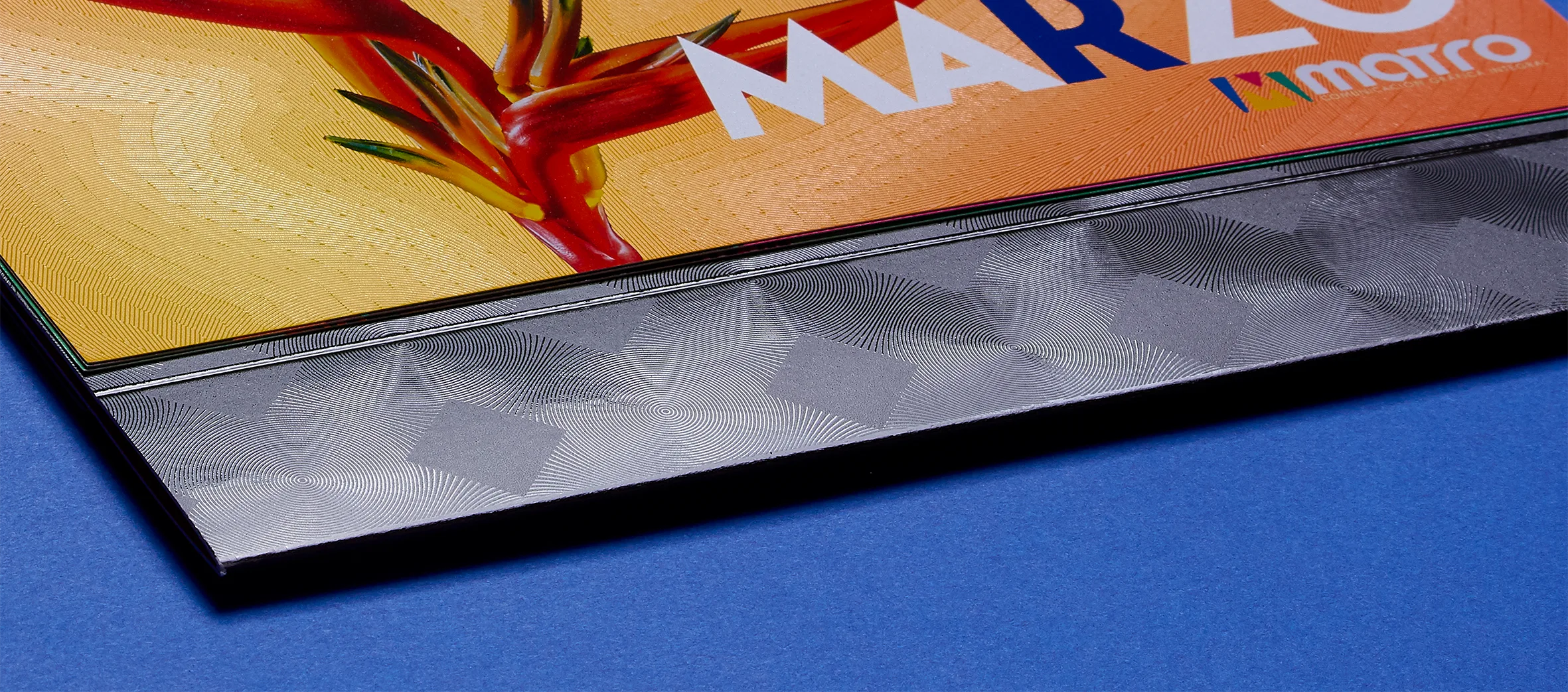
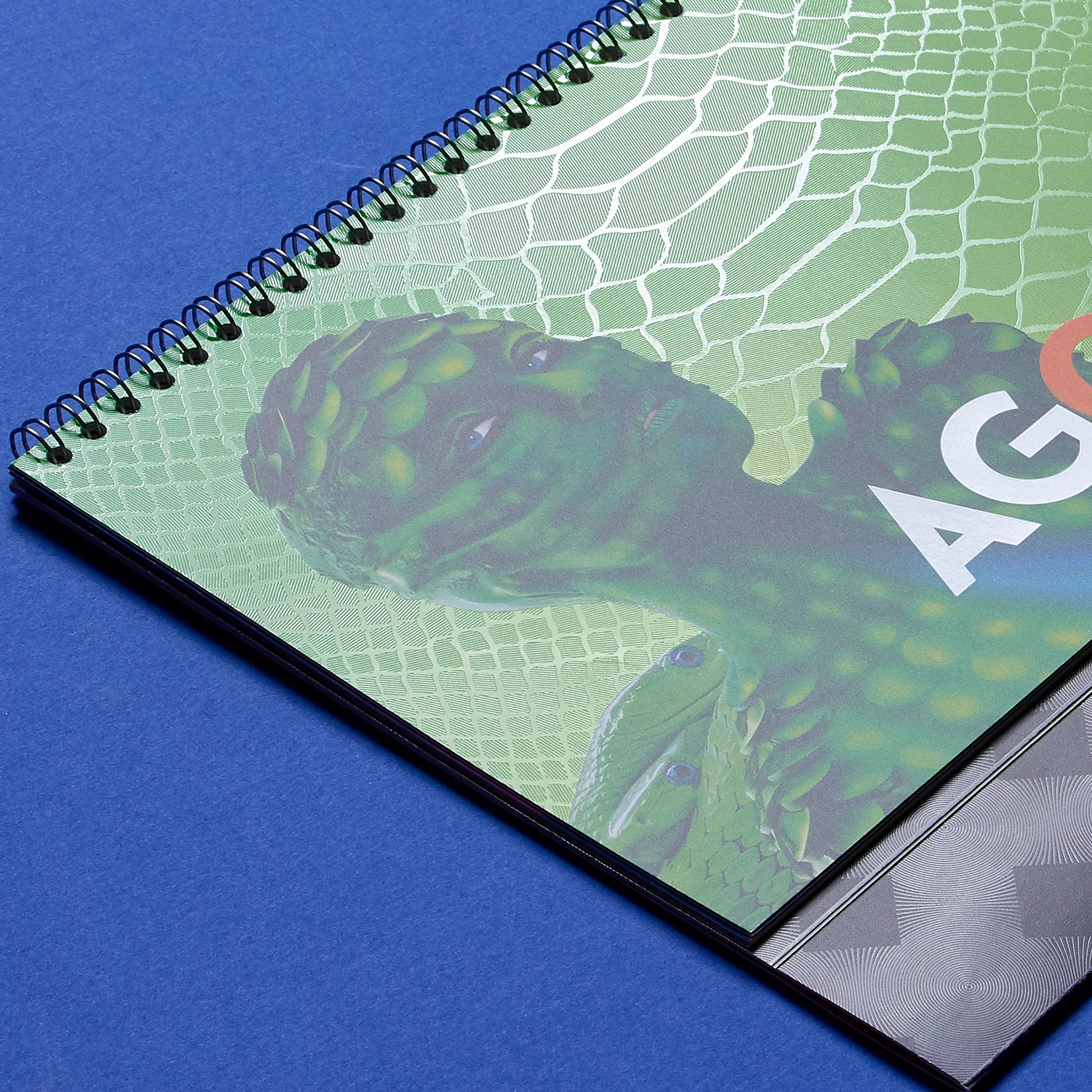
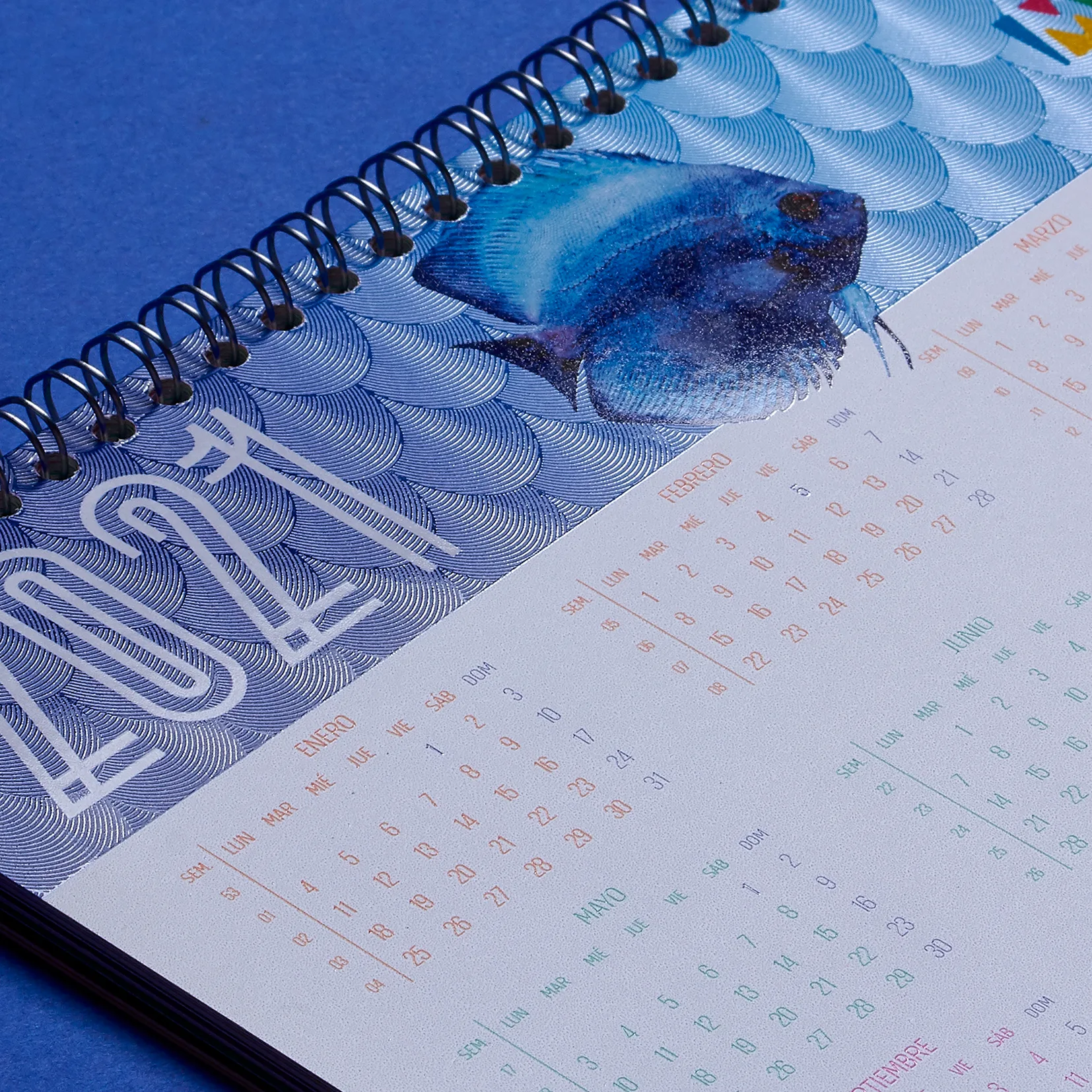
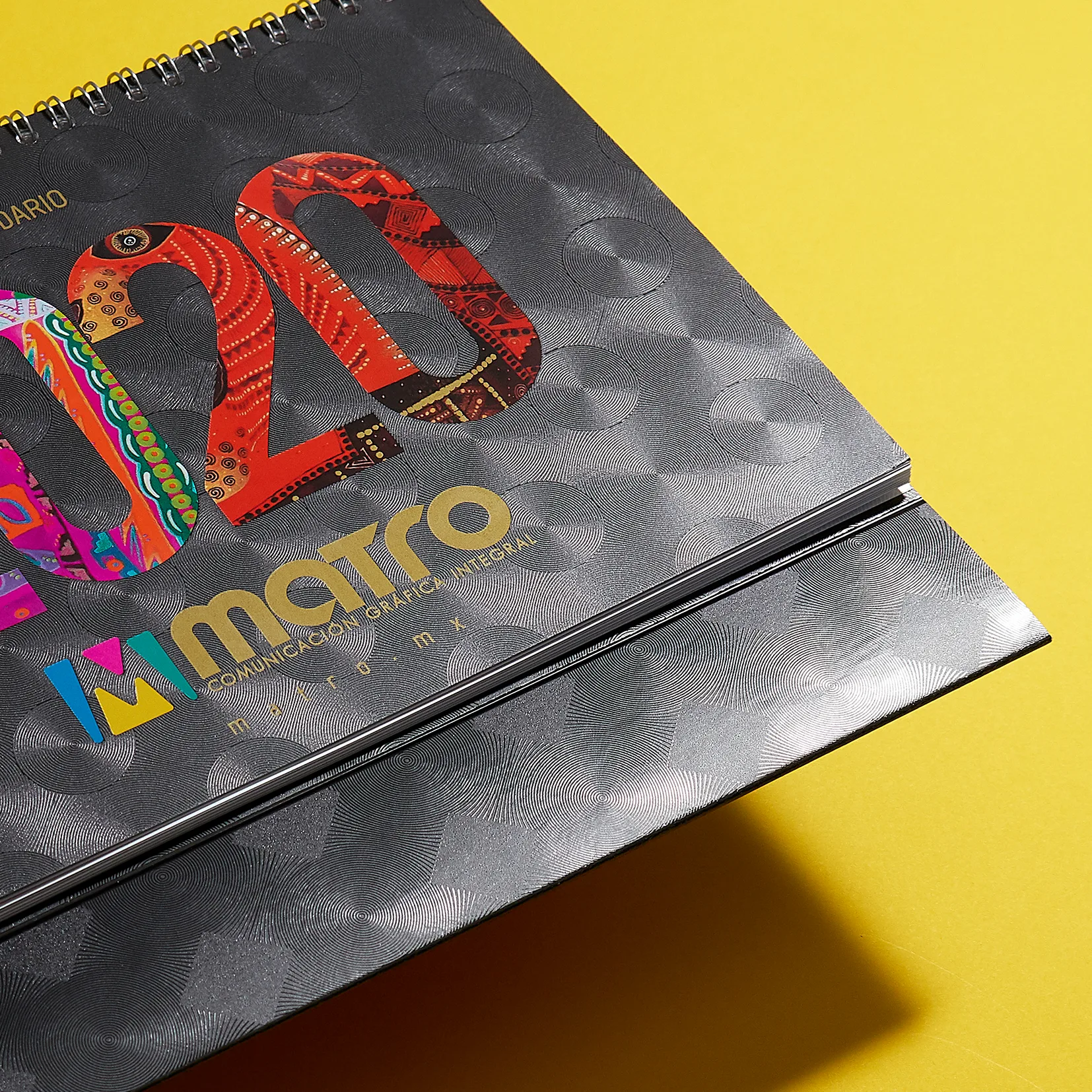
The project resulted in a new family of dynamic varnish finishes that expanded Matro's production capabilities and gave sales teams a more distinctive way to present high-value print projects.
The technique helped transform print finishing into a stronger visual argument: clients could see and handle a surface that reacted to light, depth, and movement, making the value of advanced production easier to understand.
The designer-facing tool extends that original work by addressing the continuity problem. Instead of depending on specialized parametric design knowledge, the workflow translates the technique into an interface that graphic designers can use to generate, preview, export, and hand off multi-dimensional varnish patterns.
As Matro continues moving further into packaging, the system creates a renewed opportunity: bringing a proven finishing technique back as a premium differentiator for client presentations, packaging development, and production workflows.
Final Calendar Application

Reflection
This project changed the way I think about innovation.
The first challenge was technical: developing a print-finishing technique that could control light through geometry, material behaviour, and production logic. But the longer-term challenge was systemic.
A technique can be successful and still lose continuity if the workflow around it is too dependent on specialized knowledge.
The designer-facing tool reframed the project from a computational experiment into a system that could be understood, repeated, and used by others.
Innovation is not only about creating something new.
It is about designing the conditions that allow it to continue.
Credits
Project developed at Matro
Calendar artwork
Sergio Ríos
Calendar photography
Manuel Zavala